Owner · HR · when you hire · 4 min read
Hiring
Hiring runs inside the portal, so a hire ends up on your roster instead of in a spreadsheet somebody retypes. Every company starts with it on — an apply page per job, the steps a candidate goes through, the emails and texts each step sends — and with mail from your own short code from the first day.
The tabs
Hiring
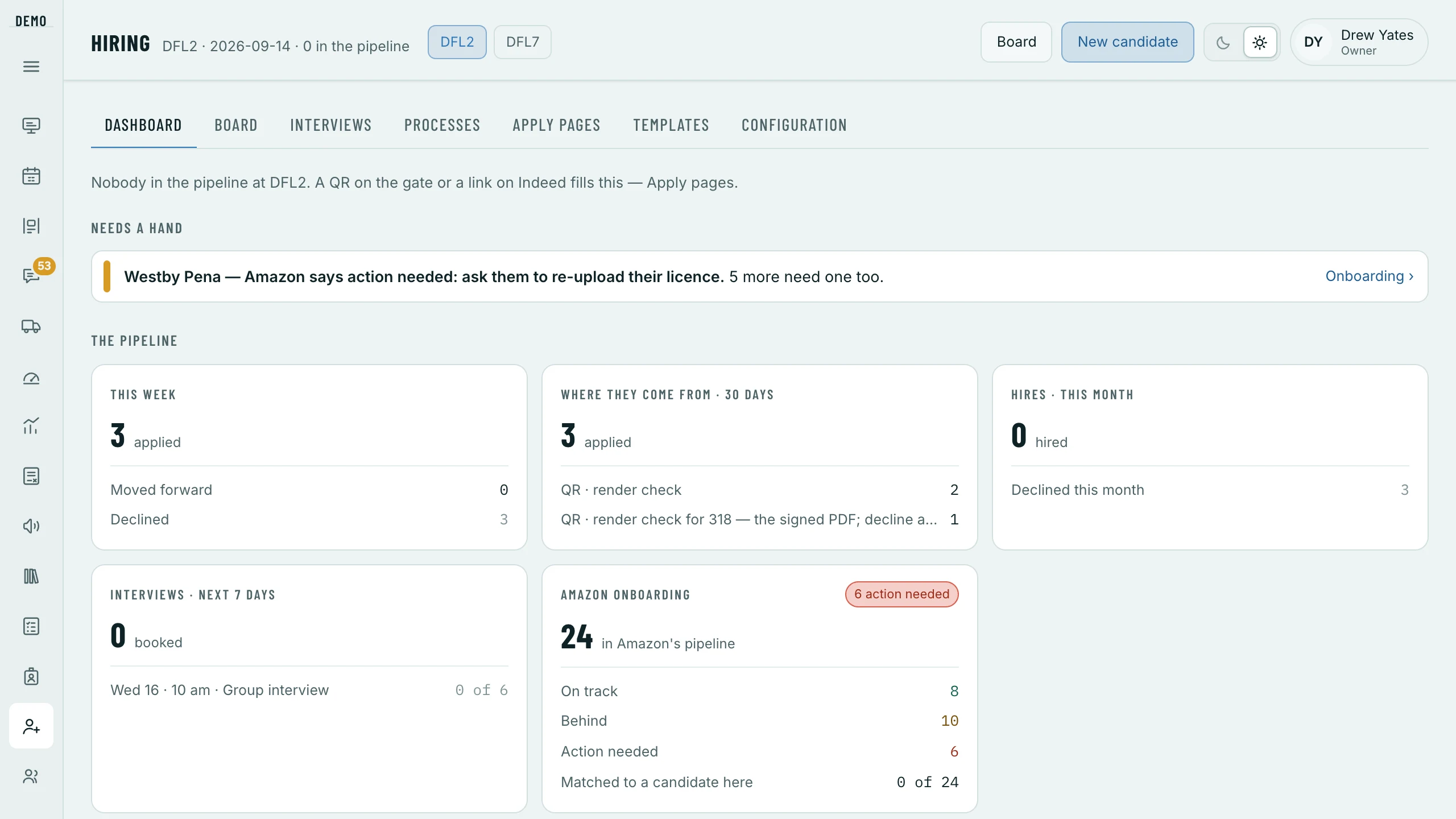
- Dashboard
- What needs a hand, and the pipeline at a glance.
- Board
- Everybody, as a list by stage — tick people to Move to…, Message… or Decline… them at once — or as a board, a column per stage.
- Conversations
- Every email and text thread, the ones Waiting on us first; Mark handled when a reply needs nothing.
- Interviews
- Who is booked over the next fortnight, the interview types and sessions, and the days you are closed.
- Processes
- The steps for each station and job — what each asks for and what it sends.
- Apply pages
- The pages applicants land on, the screening questions beside them, and Where it hangs — the QR and the links.
- Templates
- Every email and text, grouped by when it goes.
- Configuration
- Your hiring email, your texting, the SmartRecruiters feed and the letterhead — the Owner’s at first.
A candidate, from apply to the roster
They apply.
Hiring › Apply pages
A page per station and job. A No on a screening question declines them with the reason; everybody else lands on the board at the first step.
They book their own interview.
The candidate › the Interview step
Send the invite mails and texts their booking link, and they pick a time inside your windows and seats, around the days you are closed — or Book for them. If they don’t come, Missed… sends a link to pick a new time and declines them if they don’t.
Move them on, step by step.
The bar under the stages asks whether the step is done and offers the next; every step says what landing on it sends before it sends it. Just mark it done and stay here sends nothing.
The offer, signed on their phone.
Send the offer… with the position and hourly rate. It stays open five business days, and the signed PDF is filed and emailed to them.
Training and the I-9.
Book Training is Amazon’s — Open Book Training in Cortex — and classes and completions come back through the sync. The I-9 is asked for by its step, followed up on your rules, and its documents are kept on the law’s clock; only a role with I-9 files sees the card.
Onto the roster.
The training-complete tick adds them to your roster on its own, and Amazon’s roster moves them to Hired — Add to the roster now is there if you need it sooner. Then they wait in Ready to schedule until you give them days.
Declining, and coming back
Decline… asks once: Decline quietly — send nothing, or Send the decline email, which waits as long as Settings › Hiring says, so a mistake can be undone with Reopen before anything leaves. A decline also cancels any interview they had booked. The record stays, but not every file on it: the résumé and the files they sent go after the time Settings › Hiring keeps them (180 days unless you change it), and an I-9 never used goes after its own clock. The Board’s Declined list holds them for 180 days.
Your settings, and who can change them
- Settings › Hiring
- How long a decline email waits, missed interviews, the I-9 follow-ups, and how long records are kept. Read & Write on HR & Roster changes them.
- Your hiring email
- Sending from
hiring@yourcode.opsbrio.comfrom day one, replies on the candidate’s record; Send a test to me, and your own domain later if you want it. Hiring › Configuration. - Your texting
- View only once it is set up — or Register your company for texting, typed once; OpsBrio files it, and texting turns on by itself.
- Company & stations
- Who signs the offer letter, the letterhead, and each station’s address.
- Who
- Hiring is its own module — the Owner, Ops Managers, HR and Recruiters at first. Hiring configuration is the Owner’s at first, and I-9 files is its own permission, HR’s at first. Each is shared on Ops team › Roles.
One habit worth building: put the QR code somewhere drivers already stand — the gate, the break room, the back of a van. Most of the best applicants a DSP gets are somebody a current driver told, and a code on the wall is the shortest path between those two facts.