Fleet · 5 min read
The fleet
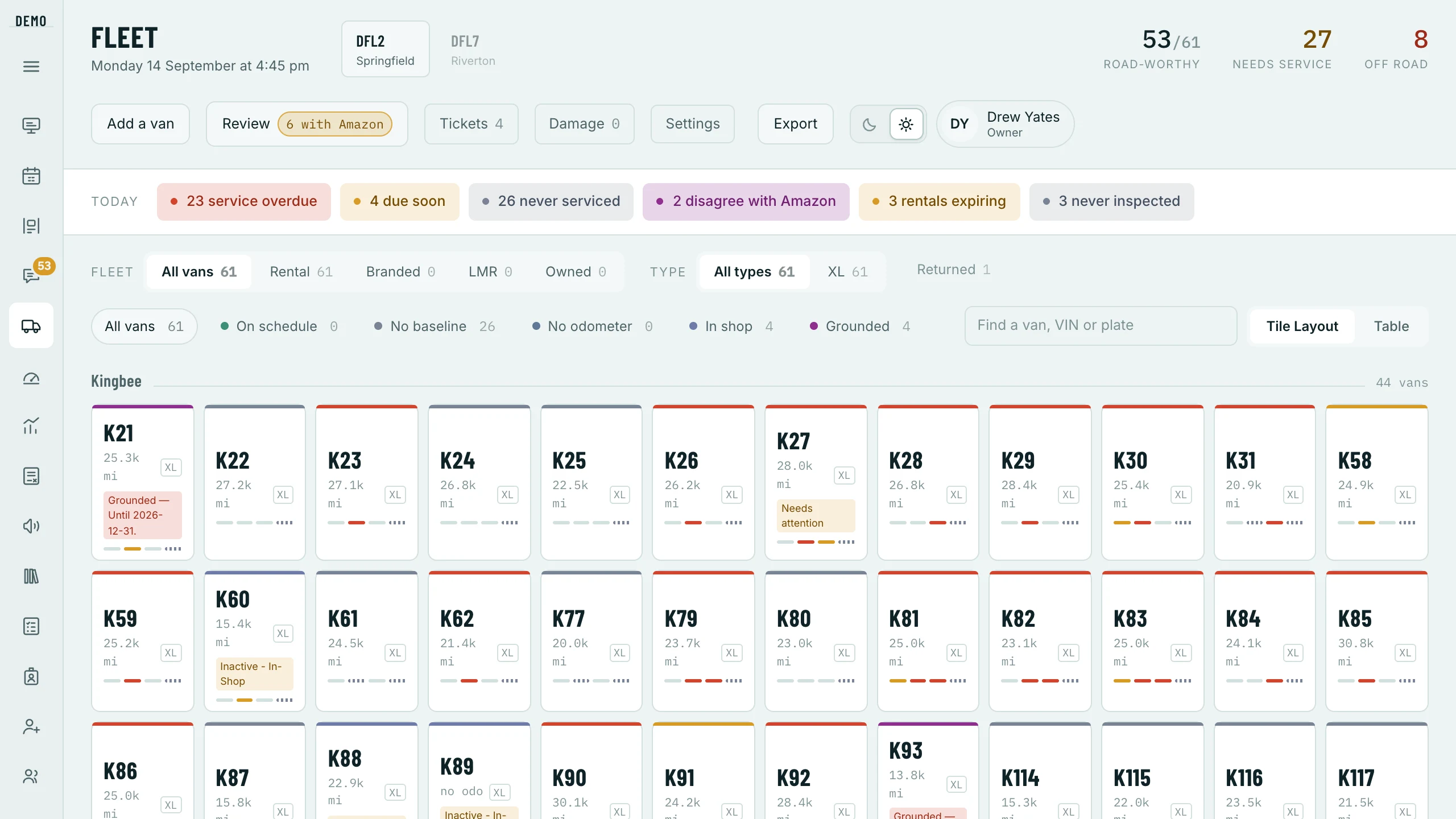
A van has two separate states and collapsing them into one is the mistake this screen exists to prevent. Whether it can be used at all, and what it may be used for, are different questions — a van can be perfectly roadworthy, pass its check, and still be one Amazon would fail on the launch pad.
The VIN is the van; the number is a label
Van names encode the vendor and the parking spot, so both halves change — a van moved between stations genuinely gets a new name, and Amazon renames it too. So the VIN is the identity everything joins on, every rename is logged, and the sync will tell you when Amazon’s name and yours have parted company. A van Amazon lists at one of your stations comes in by itself on the next sync, under Amazon’s name; when you add one by hand the VIN is the one field that is required, and the sync fills in most of the rest.
The van’s QR code, drawn from the VIN
Fleet › a van › Overview
The code Amazon’s app scans for a van is drawn from its VIN, so every van has one the moment it is added and it never changes when the van is renamed. Show full screen lets a driver at the desk scan it off your screen; Print card makes a new dash card — print at 100%, cut, laminate. Drivers carry it too: the van on their Today card opens the code, once the day is sent out, and only their own van’s.
The two axes
- Status
- Can it go out at all. Active and needs attention can; in shop, grounded and retired cannot.
- Restriction
- What it may be used for. A rescue-only van is roadworthy and will not be offered for a primary route.
The bench
Fleet › a van › Overview › The bench
Three seats per van — first, second and third call. A driver holds one van, and the board settles a clash by seat. This is not an edge case: before we built it, a quarter of van-days had two of a van’s drivers working at once, which cost about twelve drivers a day a van they thought was theirs.
The editor shows you the overlap as you pick — “both in Tue–Sat, 5 shared days a week” — so a bench that is going to collide says so while you are building it. When somebody leaves, their seat is given back automatically and whoever was behind them moves up; a dead seat is slack that looks taken, which is the one thing the bench exists to prevent.
Service clocks are yours
Fleet › Settings › Service intervals
Intervals are a list you edit — DEF, oil, tyres and anything else you track, in miles or days. What is due and what is overdue is worked out from your rules and the mileages recorded, not estimated, and a van with no service history at all gets its own list: those look compliant and are the ones that are not.
The rest of the screen
- Damage
- Recorded with photos and cost lines, from the office or from a driver’s own report on their phone.
- Tickets
- What is wrong with each van and where it stands — who raised it, which shop has it, whether it is waiting on parts, how long it has been open.
- Vendors and shops
- On Fleet › Settings: Van vendors are company-wide, because U-Haul is U-Haul at both stations; Repair shops are per station, because a shop is a place.
- Vehicle checks
- Each van’s Inspections tab: Amazon’s DVIC and your own walk-round, with how long each took — the number that tells you whether it was done or clicked through.
- Photo retention
- On Fleet › Settings: how long each kind of photo is kept — check-in and check-out, walk-rounds, Amazon’s DVIC photos and ticket photos, each with a longer clock for a flagged one. They are deleted properly when they expire, not just hidden — and a screen that has lost its photo says “removed”, never “not taken”. The guide Records, and how long they are kept has every clock.